
Blog
How to Create a WordPress Website in Malaysia: 7 Steps for Beginners (2026)
October 6, 2026 · admin
Disclosure: We are TheGuruboss, a web design + Google Ads agency working with SMEs across Malaysia. This guide follows the same process we use on client builds, written so you can do it yourself.
To create a WordPress website from scratch, you need a domain name, a hosting plan, and seven steps: (1) register your domain and hosting, (2) install WordPress, (3) choose a theme, (4) install essential plugins, (5) build your pages and menu, (6) add your content, and (7) test, optimise and launch. In Malaysia, a do-it-yourself site costs roughly RM250–1,400 in the first year. Installing WordPress takes about 5 minutes; a finished small business site usually takes a weekend to two weeks, depending on how ready your content is.
What Is WordPress, and Can You Build a Website on Your Own?
WordPress is free, open-source software for building and managing websites, and it runs more than 40% of all websites on the internet. You do not need to know how to code: themes control how the site looks, and plugins add features such as contact forms, SEO tools and online payments.
So yes, you can create a website on your own. What you pay for is the domain (your address) and hosting (the server your site lives on). The software itself is free.
One thing to get right from the start: this guide is about self-hosted WordPress (WordPress.org), not WordPress.com. Self-hosted WordPress gives you full ownership of your site, your content and your data.
How Much Does a WordPress Website Cost in Malaysia?
| Item | Typical cost | Notes |
|---|---|---|
| WordPress software | Free | Open-source |
| Domain (.com) | ~RM50–70/year | Good default for most businesses |
| Domain (.com.my / .my) | ~RM60–100/year | .com.my needs a registered Malaysian business |
| Hosting | RM15–80/month | Shared hosting is enough for a new site |
| SSL certificate (https) | Free | Included by most hosts |
| Theme | Free – RM300 one-time | Start with a free theme |
| Plugins | Free to start | Paid versions only when you need them |
| First-year total (DIY) | ~RM250–1,400 | Excludes your own time |
Prices vary by provider and renewal rates are often higher than the first-year promo, so check the renewal price before you buy.
Step 1: Prepare Your Domain, Hosting and Brand Assets
Before you touch WordPress, get three things ready.
- Register a domain. Pick .com or .my, and keep it short. A short name is easier to remember, type and say over the phone.
- Buy hosting. Any plan that supports PHP and MySQL will run WordPress. Look for one-click WordPress install, free SSL and automatic backups.
- Prepare your brand assets. Have your logo, brand colours and a short company introduction ready. This is what slows most projects down, not the technical setup.
Step 2: Install WordPress
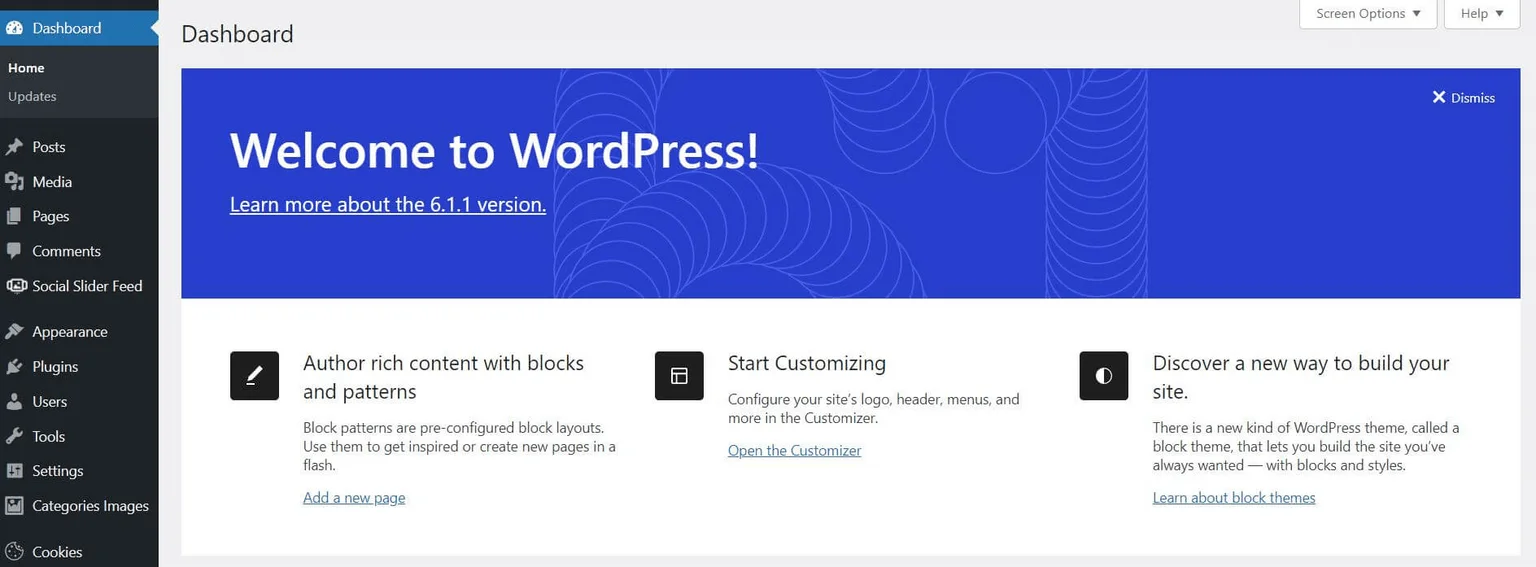
Most hosting providers offer a one-click installer in the hosting control panel (cPanel). Choose WordPress, pick your domain, and the installer does the rest. You can also download WordPress from WordPress.org and upload it manually, but the one-click route is faster and less error-prone.
During setup you will set your site name and create an administrator account. The whole thing takes about 5 minutes.
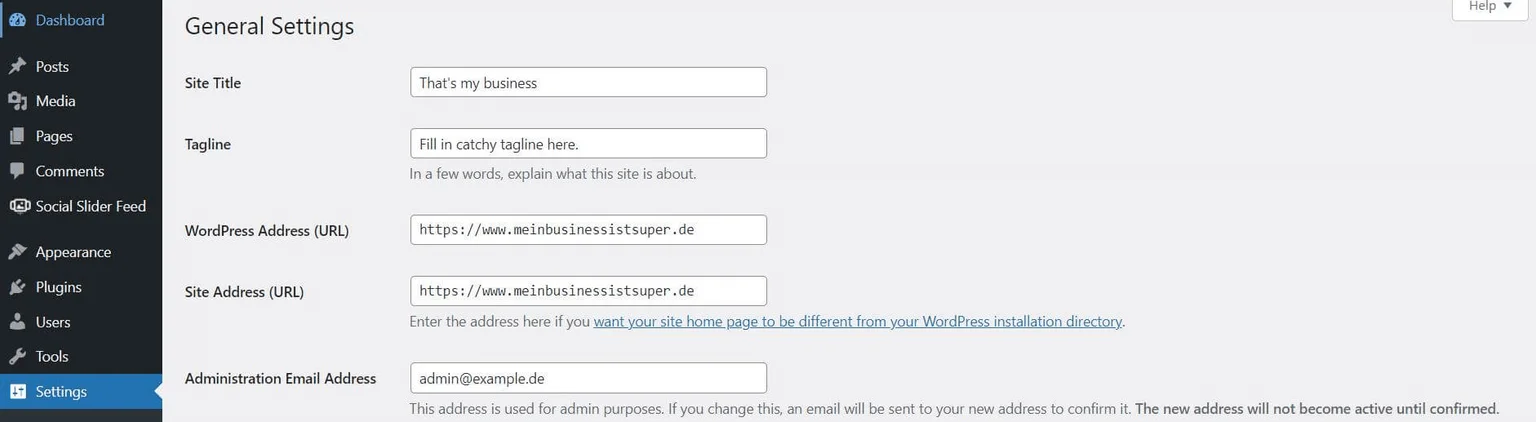
💡 Quick tip: Never use "admin" as the username or a password like admin123. Weak admin logins are one of the most common ways small business sites get hacked.
Step 3: Choose a Theme
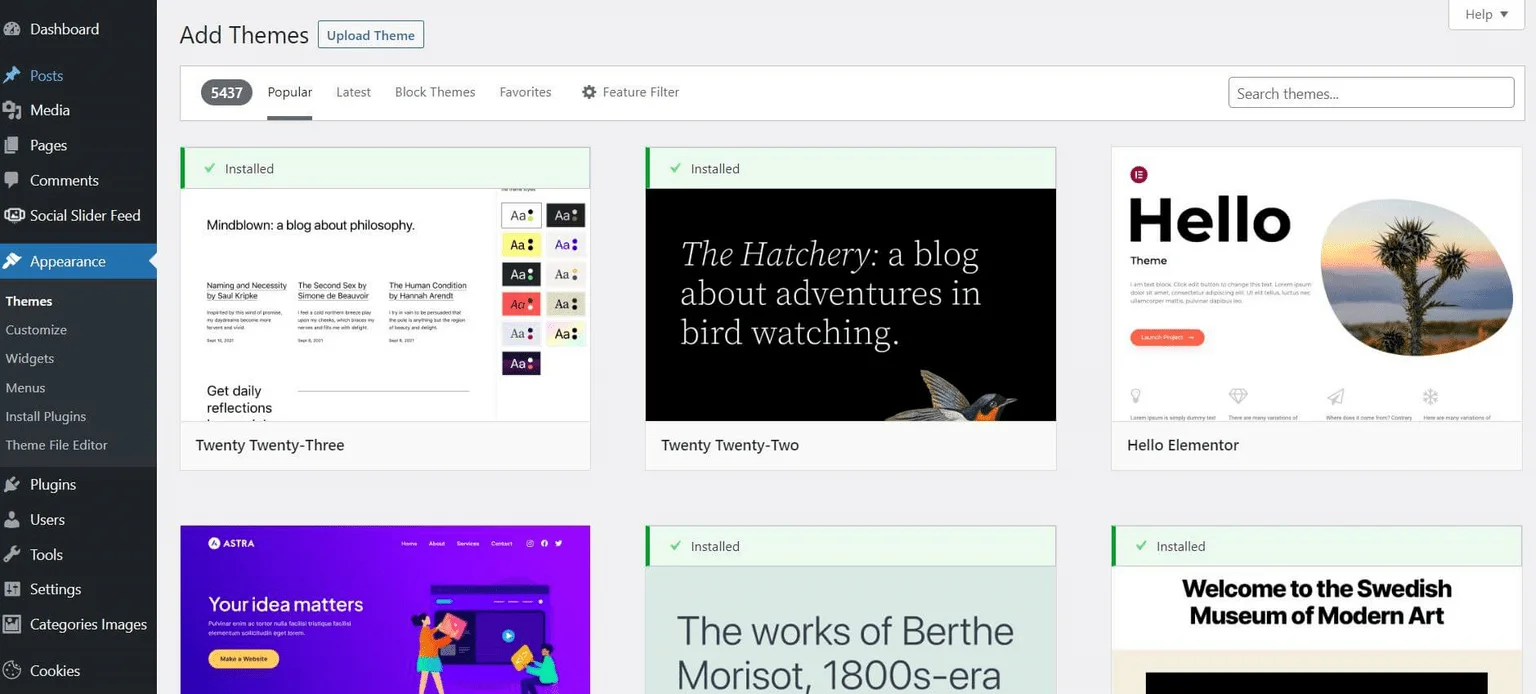
In your dashboard, go to Appearance → Themes → Add New. Filter by industry or layout, then install and activate the one you like. Free themes are fine for a first site; paid themes mostly add design options and support.
After activating, check the mobile view first. Most Malaysian visitors will arrive on a phone, so a theme that looks good on desktop but breaks on mobile is the wrong theme.
Choose lightweight and responsive over flashy. Heavy animation looks impressive in a demo and slows down the real site.
Step 4: Install the Essential Plugins
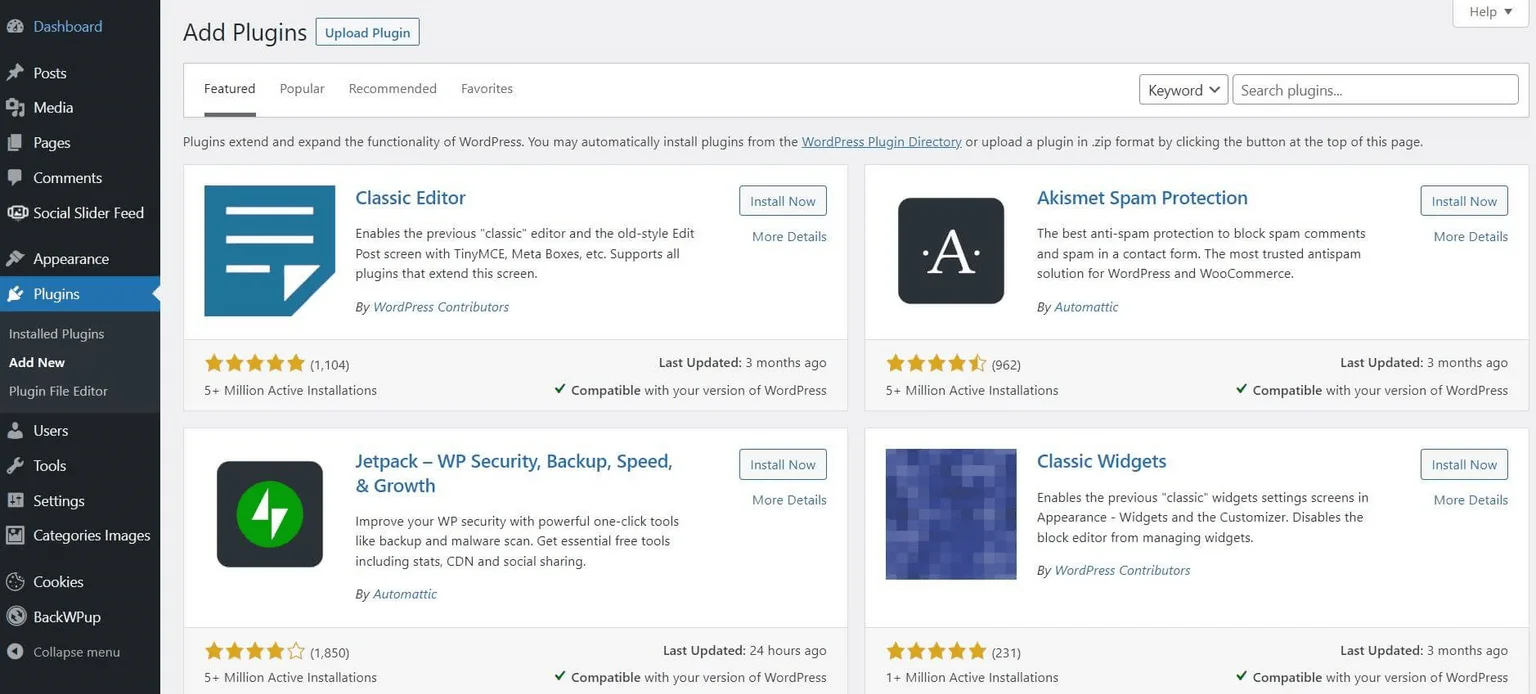
Go to Plugins → Add New to install plugins. A new business site needs four types:
| Purpose | Plugin options |
|---|---|
| SEO | Rank Math or Yoast SEO |
| Security | Wordfence |
| Contact forms | WPForms |
| Caching / speed | LiteSpeed Cache or WP Rocket |
Install only what you will actually use. Every extra plugin adds code that has to load, and too many plugins is a common cause of slow WordPress sites.
Step 5: Build Your Pages and Menu
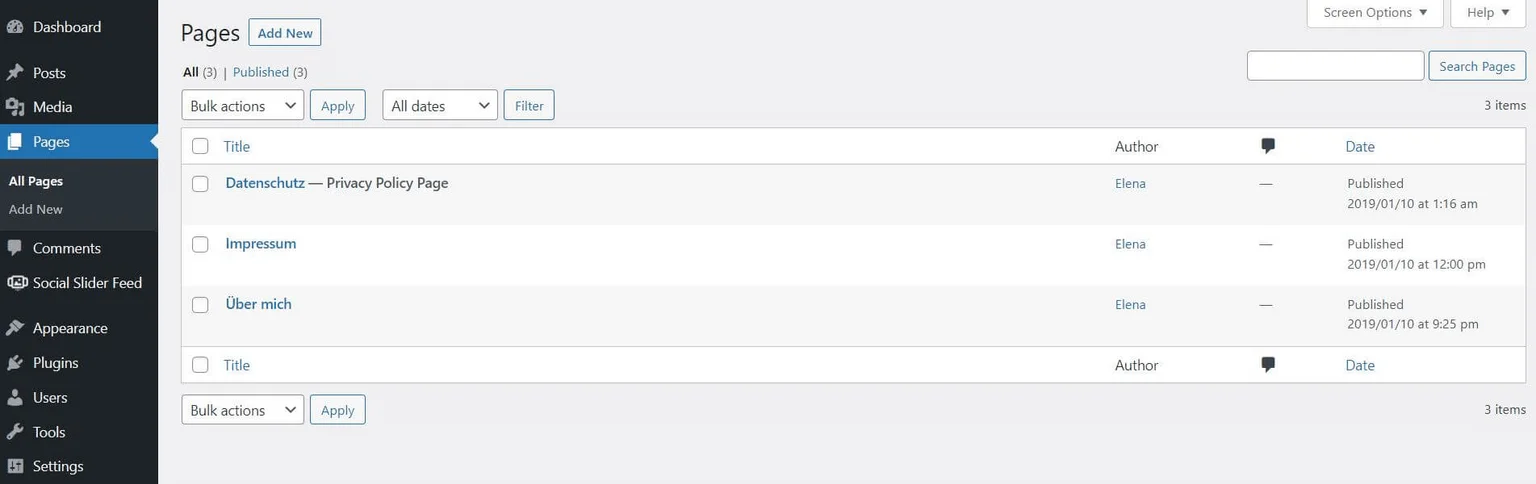
A standard small business site needs five pages: Home, About, Service, Blog and Contact.
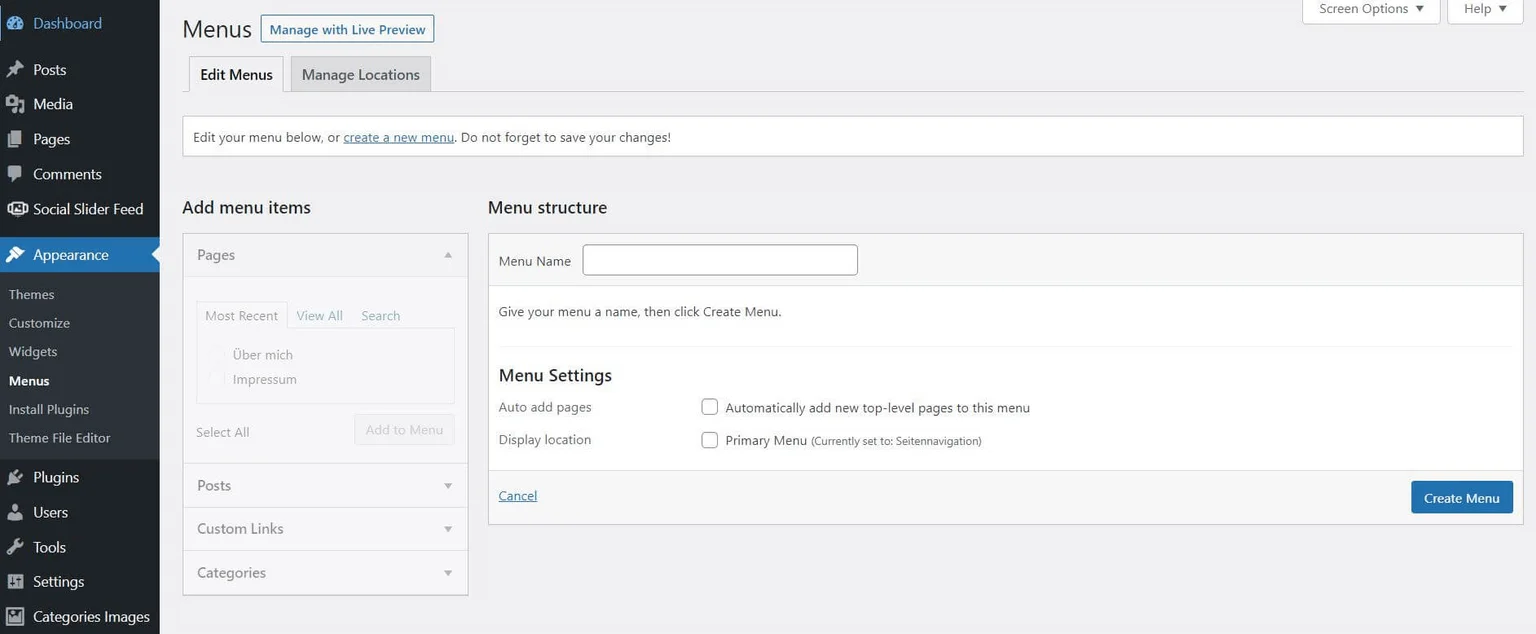
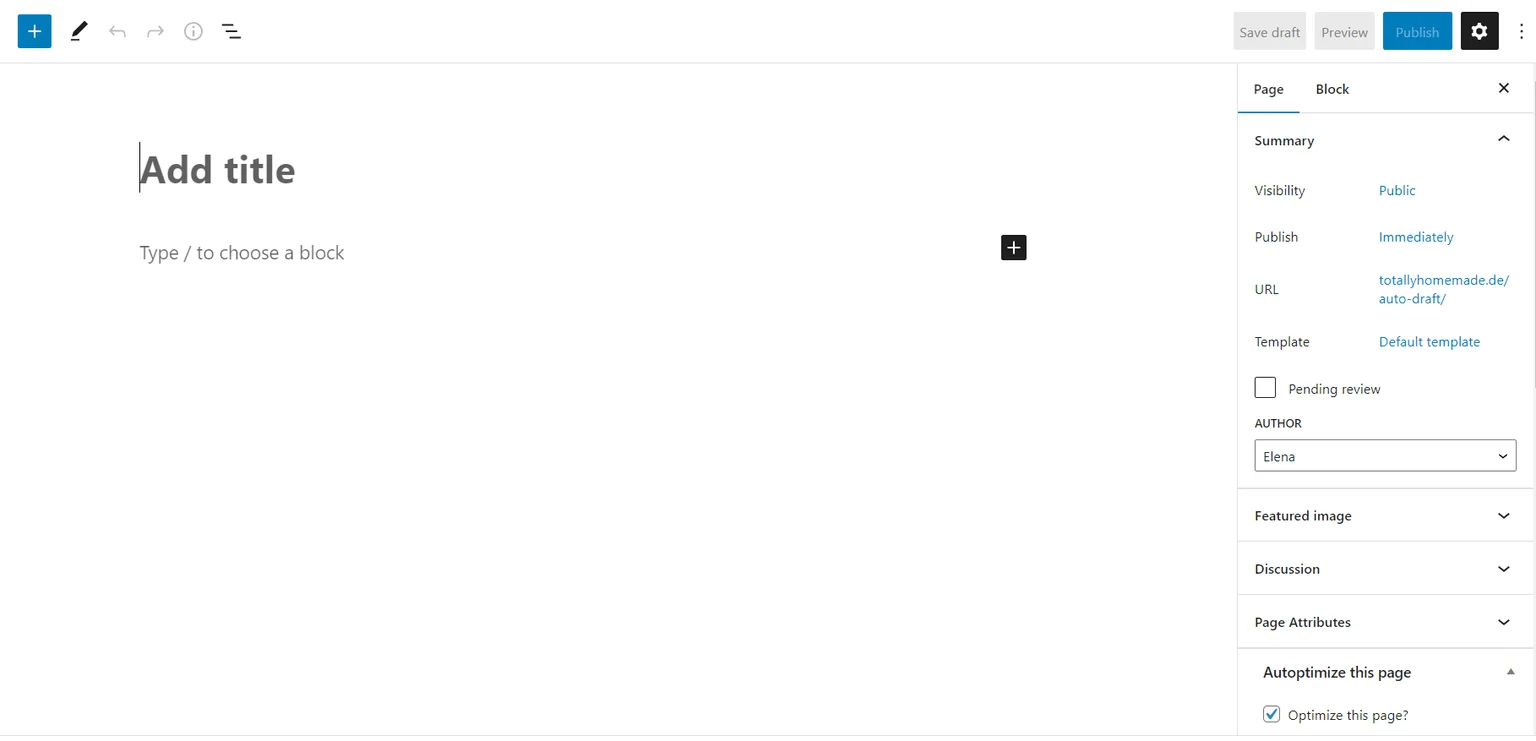
Create each one under Pages → Add New. Then go to Appearance → Menus to build your navigation, and adjust widgets and layout so the header and footer show the right information.
A clear structure does two jobs at once: visitors find what they need faster, and search engines understand what your site is about.
Step 6: Add Your Content
Now fill the structure with real content.
- Homepage copy should state your core business in the first screen: what you do, who it is for, and where you operate.
- A blog, updated regularly, gives Google and AI search tools more pages to find and cite.
- Photos and video of real work build trust faster than stock images.
- A WhatsApp button matters in Malaysia. Most customers would rather message than fill in a form.
Content is what earns trust and rankings. A plain site with clear, useful content will outperform a beautiful site that says nothing specific.
Step 7: Optimise and Launch
Before you tell anyone the site is live:
- Check every page on phone, tablet and desktop.
- Compress your images and turn on caching to speed up loading.
- Submit your site to Google Search Console so Google can index it.
After launch, install Google Analytics and review it monthly. A website is never really finished; the sites that perform are the ones that keep improving.
WordPress Website Launch Checklist
Before you go live, confirm:
- ☐ SSL certificate is active (the address starts with https)
- ☐ Mobile version tested on a real phone
- ☐ Contact form sends and you receive the email
- ☐ Every page has a title and meta description
- ☐ Automatic backups are switched on
- ☐ Plugins, theme and WordPress are updated, with a plan to keep them updated
If you collect customer details through a form, add a privacy notice too. Malaysia's Personal Data Protection Act (PDPA) requires businesses to tell people how their personal data is used.
DIY or Hire a Web Designer?
🛠️ Build it yourself if:
- You have more time than budget right now
- You need a simple site of around five pages
- You are comfortable learning the dashboard and fixing small issues
- You are happy to handle updates, backups and security yourself
🤝 Hire a web designer if:
- Your time is better spent running the business
- You need the site to bring in leads through Google search or Google Ads
- You want speed, SEO structure and tracking set up correctly from day one
- You need an online store, booking system or payment gateway
At TheGuruboss, our WordPress packages are a one-time RM590 to RM2,500, with mobile-first design and SEO structure included. If a DIY site is genuinely enough for where your business is today, we will tell you so.
FAQ: Creating a WordPress Website
Q: Can I create a WordPress website on my own without coding?
A: Yes. WordPress uses themes for design and plugins for features, so a standard business website can be built entirely through the dashboard without writing code. Coding only becomes necessary for custom functions that no existing plugin covers.
Q: Is WordPress free?
A: The WordPress software is free and open-source. You still pay for a domain name (around RM50–100 a year in Malaysia) and hosting (around RM15–80 a month), plus any premium theme or plugin you choose to buy.
Q: How much does a WordPress website cost per year in Malaysia?
A: A do-it-yourself WordPress site costs roughly RM250–1,400 in the first year, covering domain, hosting and an optional paid theme. A professionally built site adds a one-time design fee; at TheGuruboss that is RM590 to RM2,500.
Q: How long does it take to build a WordPress website?
A: Installing WordPress takes about 5 minutes. Building a complete five-page business site usually takes a weekend to two weeks for a beginner, and most of that time goes into writing content and gathering photos rather than technical setup.
Q: Should I choose a .com or a .my domain?
A: Choose .com if you serve customers outside Malaysia or want the most familiar extension. Choose .my or .com.my if your business is local and you want to signal that clearly. Whichever you pick, keep the name short and easy to spell.
Q: Which plugins does a new WordPress website need?
A: Four types cover most new sites: an SEO plugin (Rank Math or Yoast SEO), a security plugin (Wordfence), a form plugin (WPForms), and a caching plugin (LiteSpeed Cache or WP Rocket). Avoid installing more than you use, because extra plugins slow the site down.
Q: What should I check before launching a WordPress website?
A: Confirm that SSL is active, the mobile version works, the contact form delivers, every page has a title and meta description, automatic backups are on, and everything is updated. Then submit the site to Google Search Console.
Not Sure Which One Fits Your Business?
Drop us a message, we'll give you a straight answer 👇
💬 WhatsApp usNo forms, no waiting, no hard sell.
Screenshots: WordPress dashboard, via Raidboxes.
Ready to grow your business online?
Chat with us on WhatsApp — no forms, no waiting, no hard sell.
💬 Start on WhatsApp